
How do I switch between different sports modes on the device?Updated an hour ago
You can switch between performance modes and adjust power levels on your Hypershell device using the Hypershell+ app and the physical button on the device. Here’s how:
1. Switching Modes via the App
Connect your Hypershell device to the Hypershell+ app
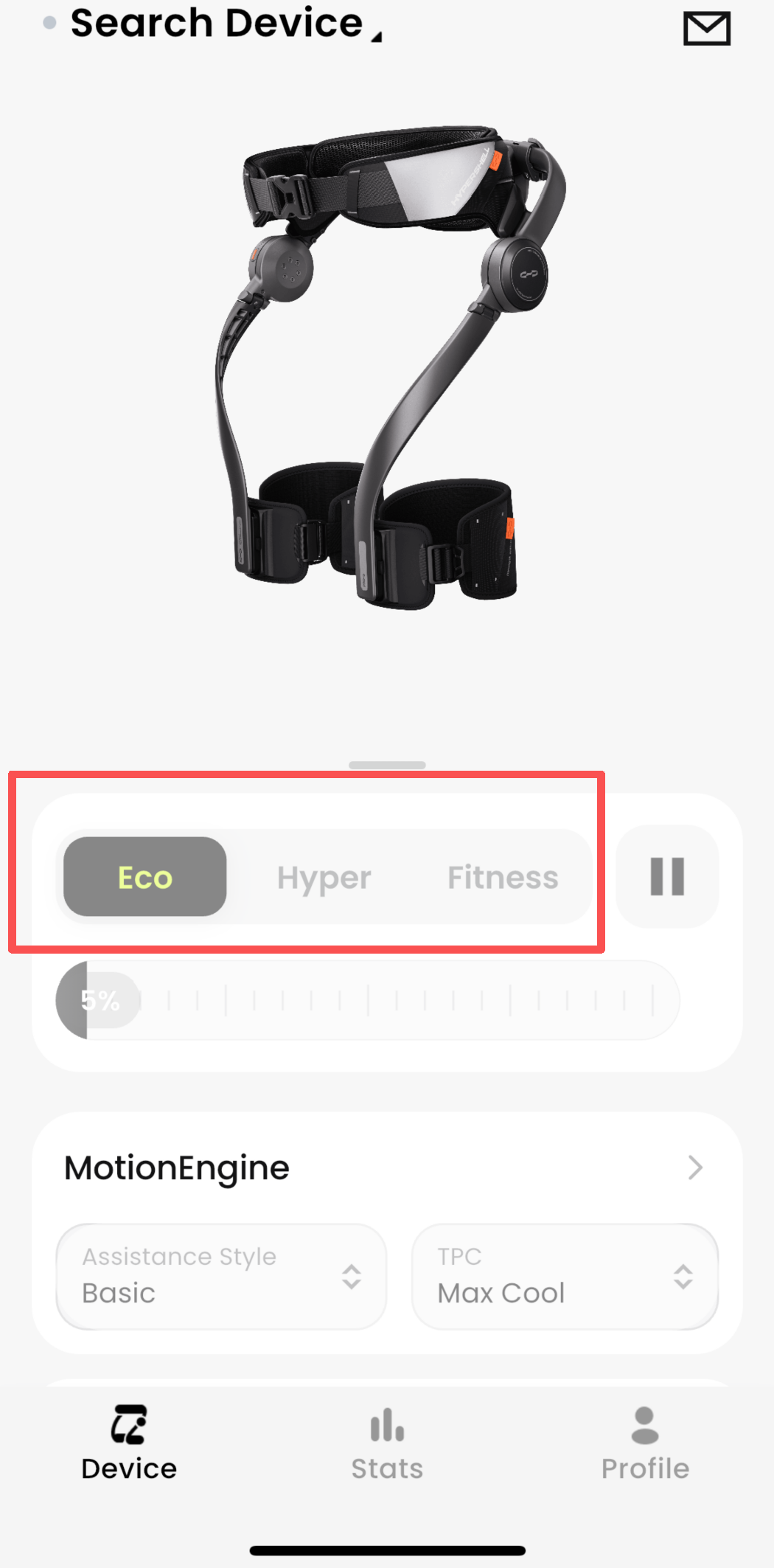
In the app interface, choose from Hyper, Eco, or Transparent mode
Tap your preferred mode to activate it instantly
Note: Mode switching is only available through the app.
2. Using Adaptive Mode
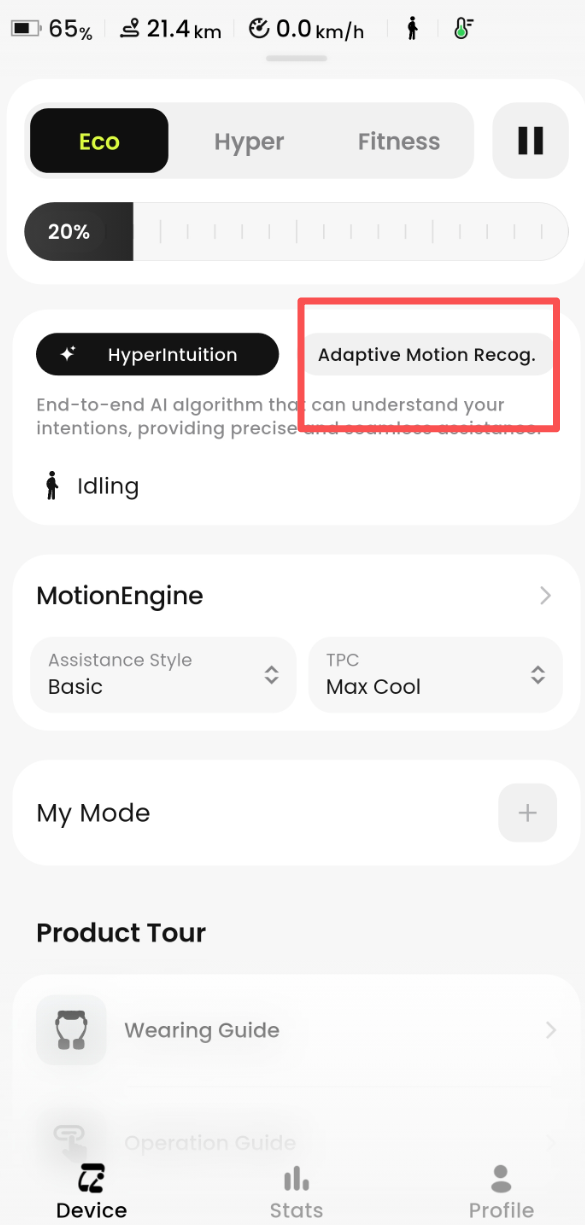
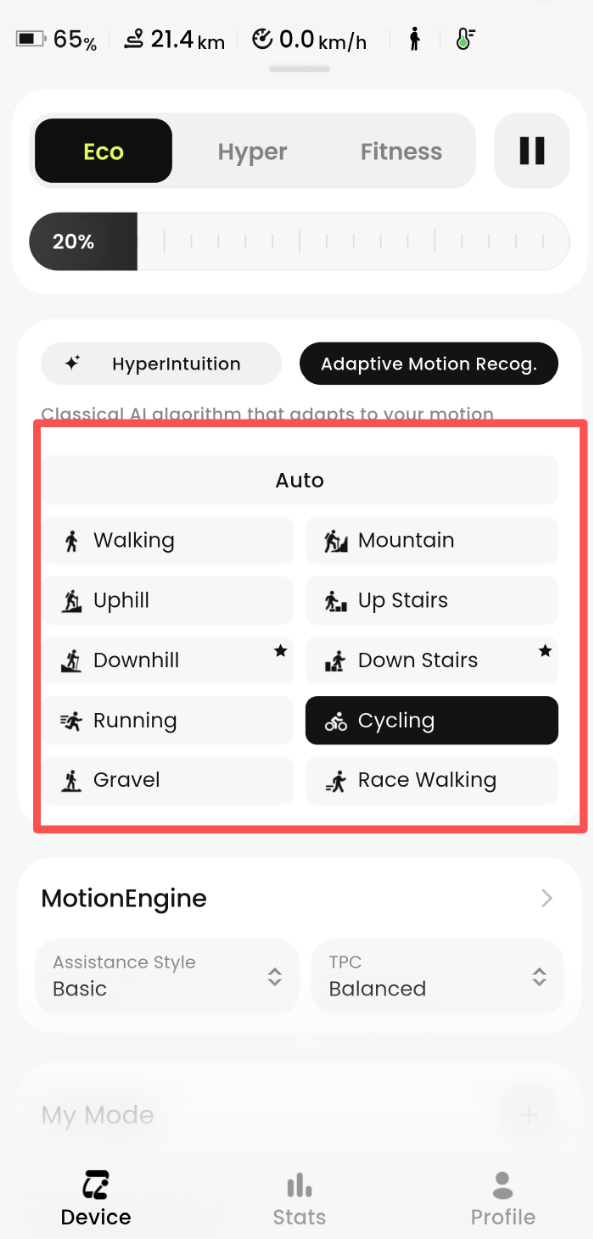
Adaptive Mode automatically adjusts performance based on your real-time movement
To use a fixed mode instead, you can turn off Adaptive Mode in the app and manually select your desired mode
3. Adjusting Power Levels on the Device
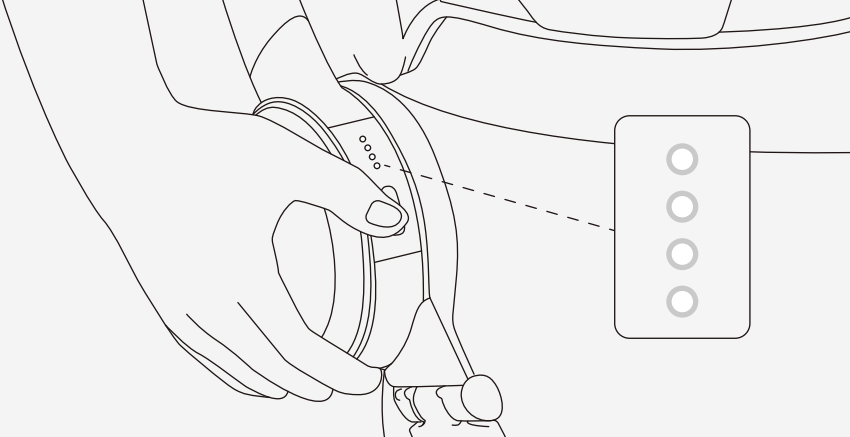
Even while using a fixed mode, you can adjust power intensity using the device button:
Double-click the button to increase power
Triple-click the button to decrease power
The current power level and mode are reflected through LED indicators (refer to your User Manual for LED status details)
For the best experience, we recommend selecting your mode and adjusting intensity in the app before starting your activity. If you have trouble switching modes or adjusting power, contact Hypershell support for assistance.