
How do I adjust the intensity and sensitivity of my Hypershell product?Updated an hour ago
You can easily customize the movement settings of your Hypershell device through the Hypershell+ app to achieve a more comfortable and responsive experience.
1. Adjusting the Intensity
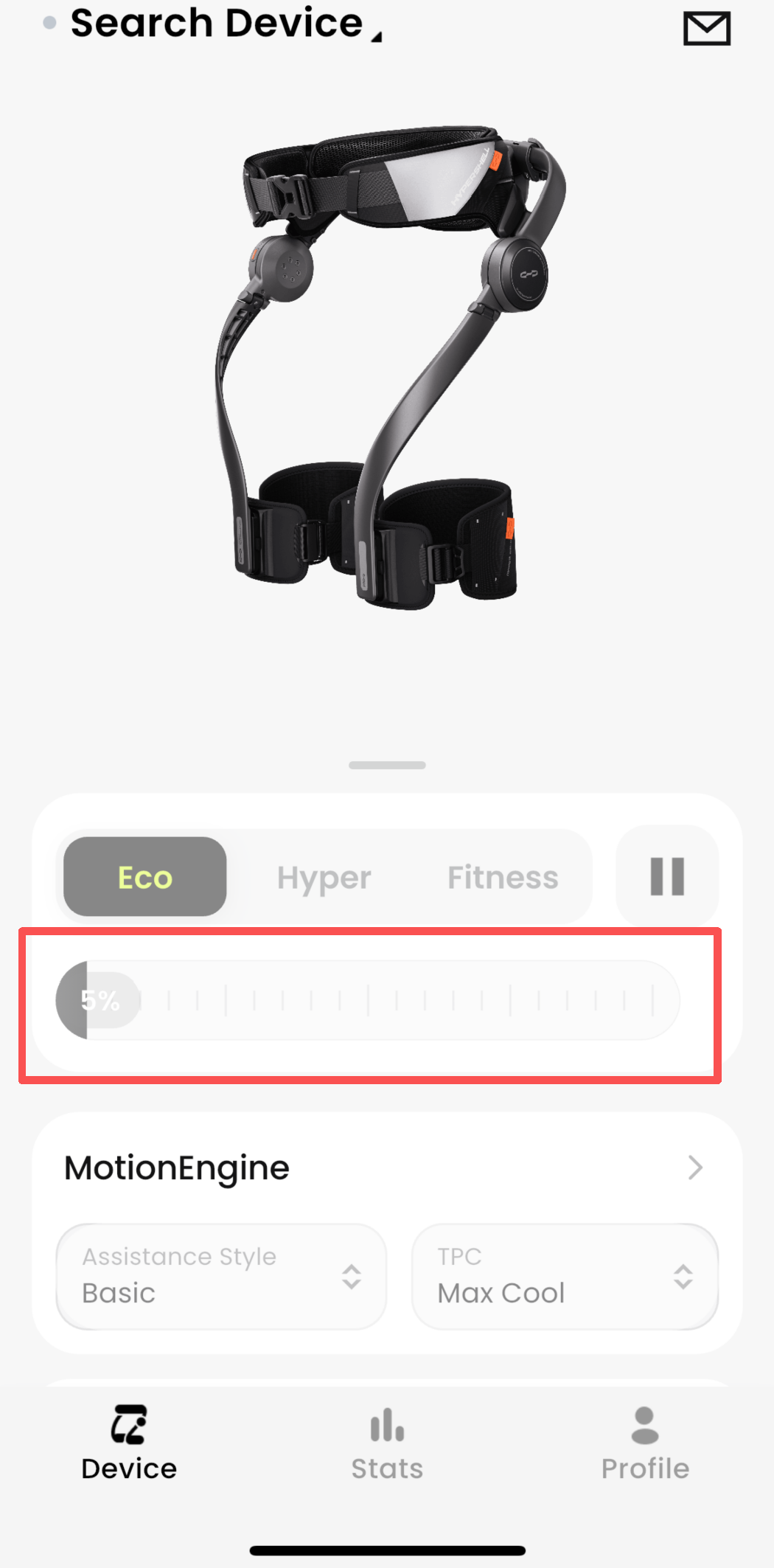
Open the Hypershell+ App
Locate the intensity slider
Slide the icon left to decrease or right to increase the assist intensity based on your activity and comfort level
2. Adjusting the Sensitivity
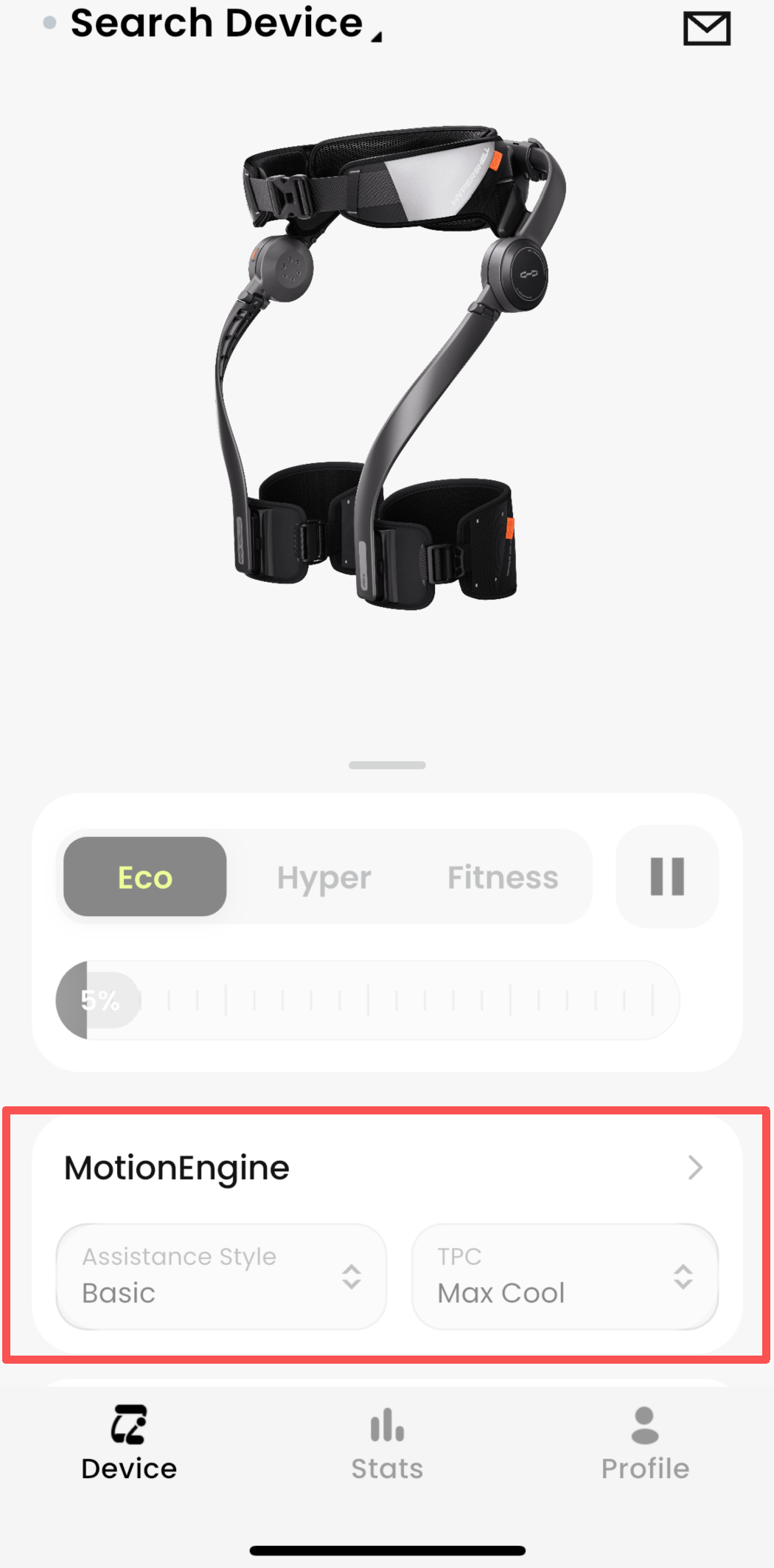
In the same app interface, find the sensitivity slider
Slide the icon left to reduce sensitivity (for smoother, less reactive movement)
Slide right to increase sensitivity (for faster response to your motion)
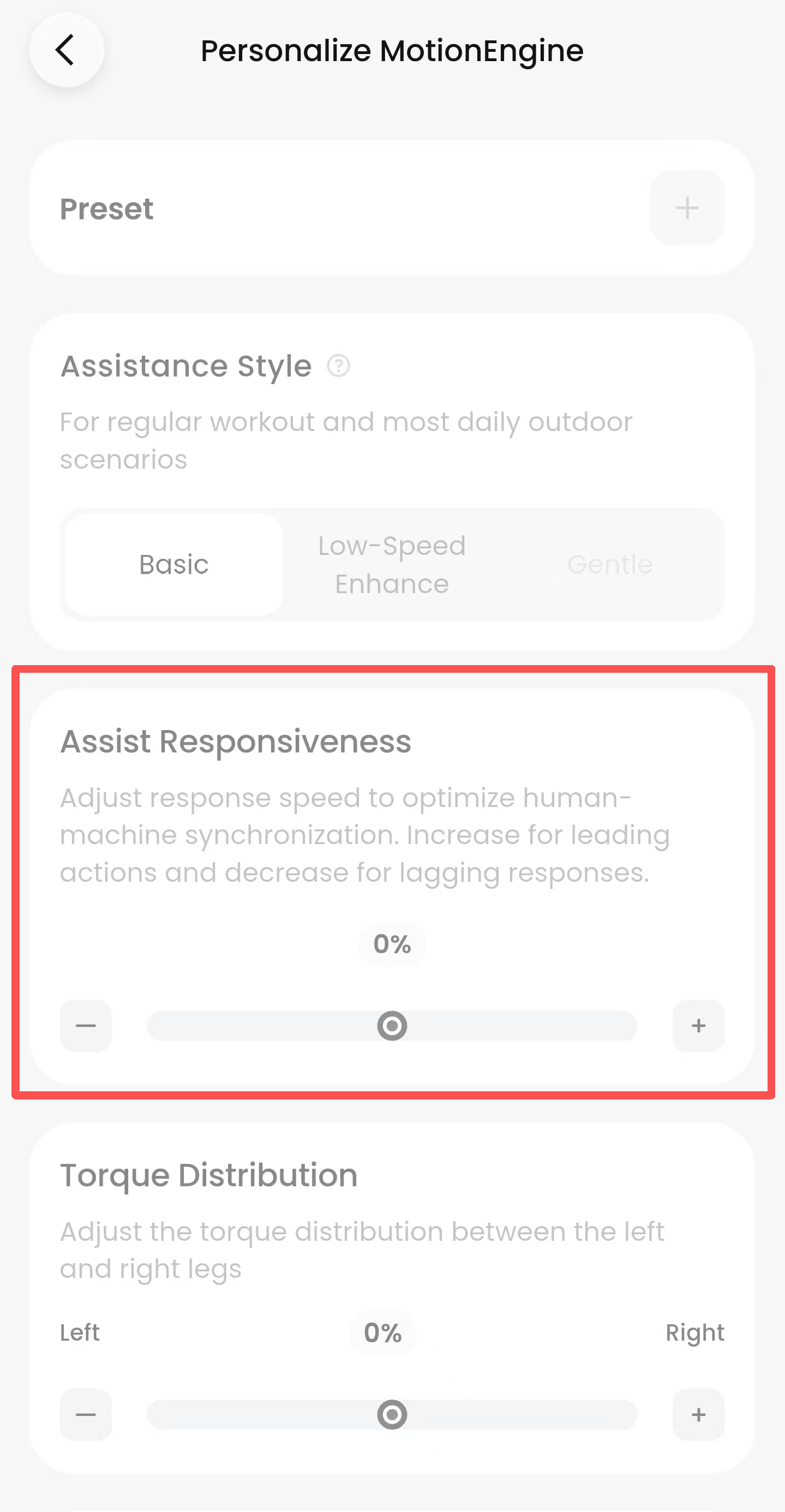
Fine-tuning both settings allows you to personalize the exoskeleton’s response to match your movement style and activity, helping reduce fatigue and improve comfort. If you need help finding the controls or understanding the settings, feel free to contact Hypershell customer support.